- Feb 07 Wed 2018 16:51
-
Heroku上佈署NodeJS程式
- Dec 27 Wed 2017 11:21
-
[全端開發訓練] Electron、ReactJS、NodeJS、Webpack

小弟在Github上開了一個專案,用來當作自己學習全端的筆記。
裡面會介紹 :
1. 如何用Electron開發跨平台的桌面應用程式
2. 透過Node.js跟後端溝通
3. 利用React來實作前端
- Aug 30 Wed 2017 16:28
-
[ NodeJS ] RobotJS - 控制滑鼠鍵盤螢幕
- Aug 15 Tue 2017 16:27
-
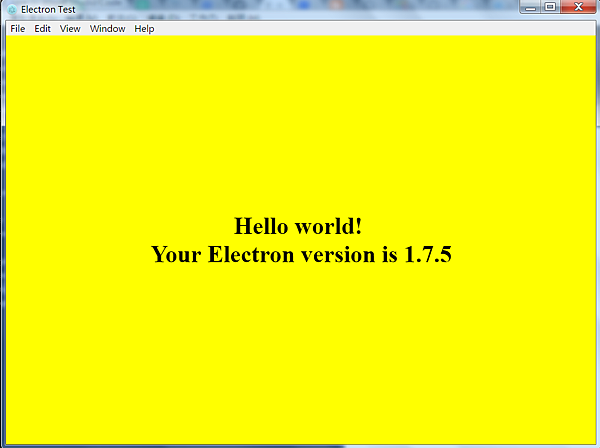
[教學] Electron - 使用 JavaScript 建立跨平台桌面應用程式
首先,你需要先裝好nodejs,且能使用npm
只要在cmd內輸入: npm -v 有顯示版本號就表示有成功啦~
( 因為npm是global的所以在哪裡都可以下指令 )
然後呢先介紹一下npm一些常用的指令:
[安裝套件] npm install xxx
- Nov 19 Thu 2015 13:36
-
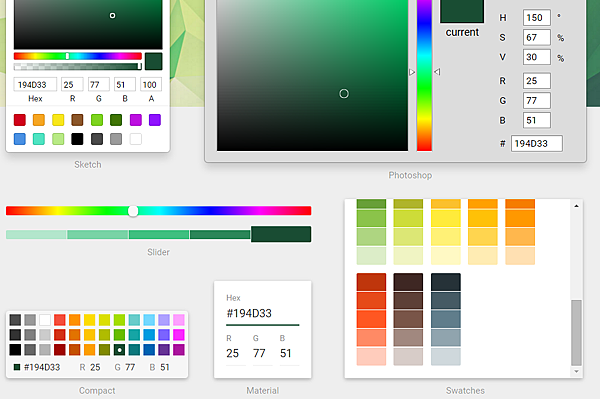
React - Color Picker(react-color)
- Nov 13 Fri 2015 13:36
-
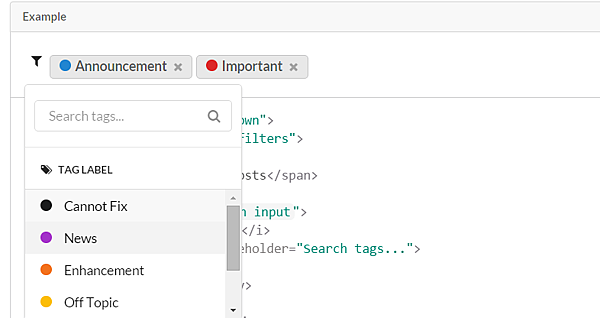
Semantic UI - 語意化的前端開發框架
- Nov 12 Thu 2015 17:18
-
React - JavaScript framework
最近因為專案需要所以接觸到了Node.js進而接觸到了React這個JavaScript framework
這個framework是由Facebook所開發且Instagram也在使用
雖然目前還在開發中版本也只到0.14.2(2015.11.12) 但API也已經很成熟囉
- Dec 29 Mon 2014 22:33
-
Gmail - 設定POP功能時 登入帳號失敗 [Application-specific ]
舉例: 也就是可以把A, B, C, mail 設定成整合到在 D mail中也可以收發
[教學]把Gmail變成Outlook,收發Hotmail、HiNet等支援POP信箱
http://sofree.cc/gmail-pop-mail/
而本人在D帳號使用這功能的時候發現在登入A帳號時失敗
後來才發現是因為A帳號有兩階段驗證
- Aug 20 Wed 2014 23:00
-
Android - 新版Admob setup
首先呢 請先按照官網的作法
1. Setting Up Google Play Services
To make the Google Play services APIs available to your app:
- Copy the library project at
<android-sdk>/extras/google/google_play_services/libproject/google-play-services_lib/to the location where you maintain your Android app projects. - Import the library project into your Eclipse workspace. Click File > Import, select Android > Existing Android Code into Workspace, and browse to the copy of the library project to import it.
- Jan 08 Wed 2014 10:33
-
Android - MenuDrawer的使用方法及問題
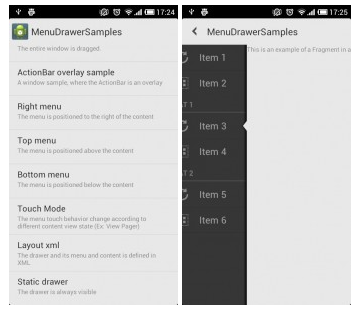
Android上的menu風格不同 其中用得最多的莫過於左右滑動來顯示隱藏的Menu了
android-menudrawer是一個滑動式的menu實現。
該專案有多種menu效果
- Dec 24 Tue 2013 12:31
-
AspectJ
最近有碰到AspectJ 也參考了別的網站 特做此筆記(持續會更改)
Pointcut語法
一. call & execution
call 捕獲的是調用點 execution捕獲的是執行點
execution(public *.*(..)) 所有public方法
- Dec 04 Wed 2013 11:40
-
Android - Facebook SDK & EasyFacebook SDK 3.0

